
Completely Remove an Installation of MS Office
Step 1
Download the Microsoft Support and Recovery Assistant (Formerly Microsoft Office Removal Tool). (Current version at time of writing is attached to this doc). The Microsoft Support and Recovery Assistant should work for any version of Microsoft Office (Office 2007, Office 2013, Office 2016, Office 365) on any modern version of Windows (Windows 7, Windows 8/8.1, Windows 10)
Step 2
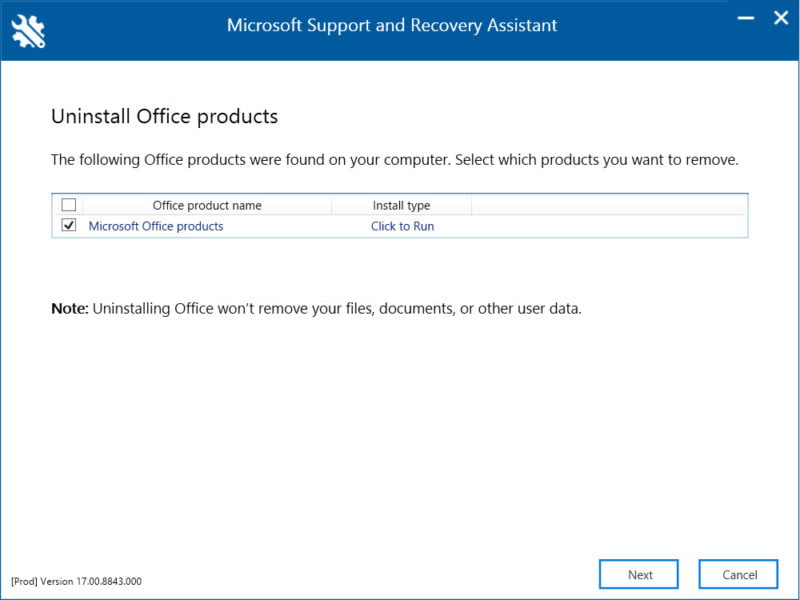
Open the Microsoft Support and Recovery Assistant and follow the instructions as prompted. You should have an option to select “Microsoft Office products” to remove Microsoft Office using the tool. Once the process is completed, go ahead and restart your system. Microsoft Office should be completely removed.
No comments to display
No comments to display